Greeting card from a photo with AI
Pick the occasion and the style, upload a photo of the person you are celebrating, and the AI builds a card with a frame, a greeting and the mood of the day.
One card costs from 1 unit of energy. Image generation comes with plans from ₽690; your photo and prompt are kept until you pay.
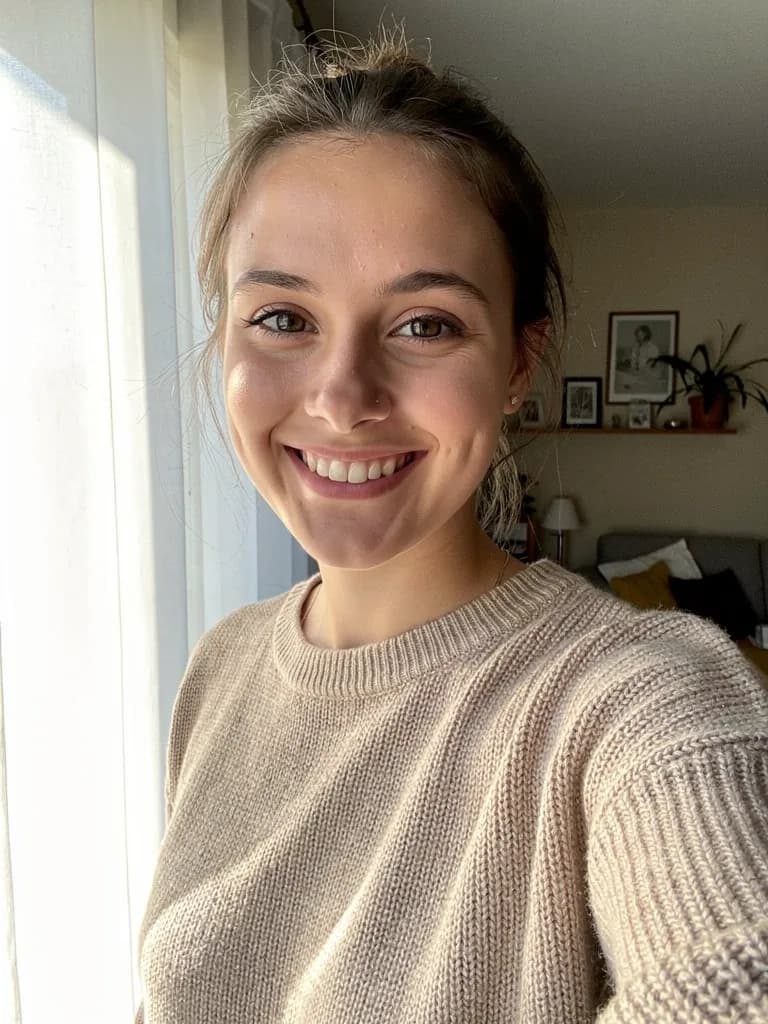 Before
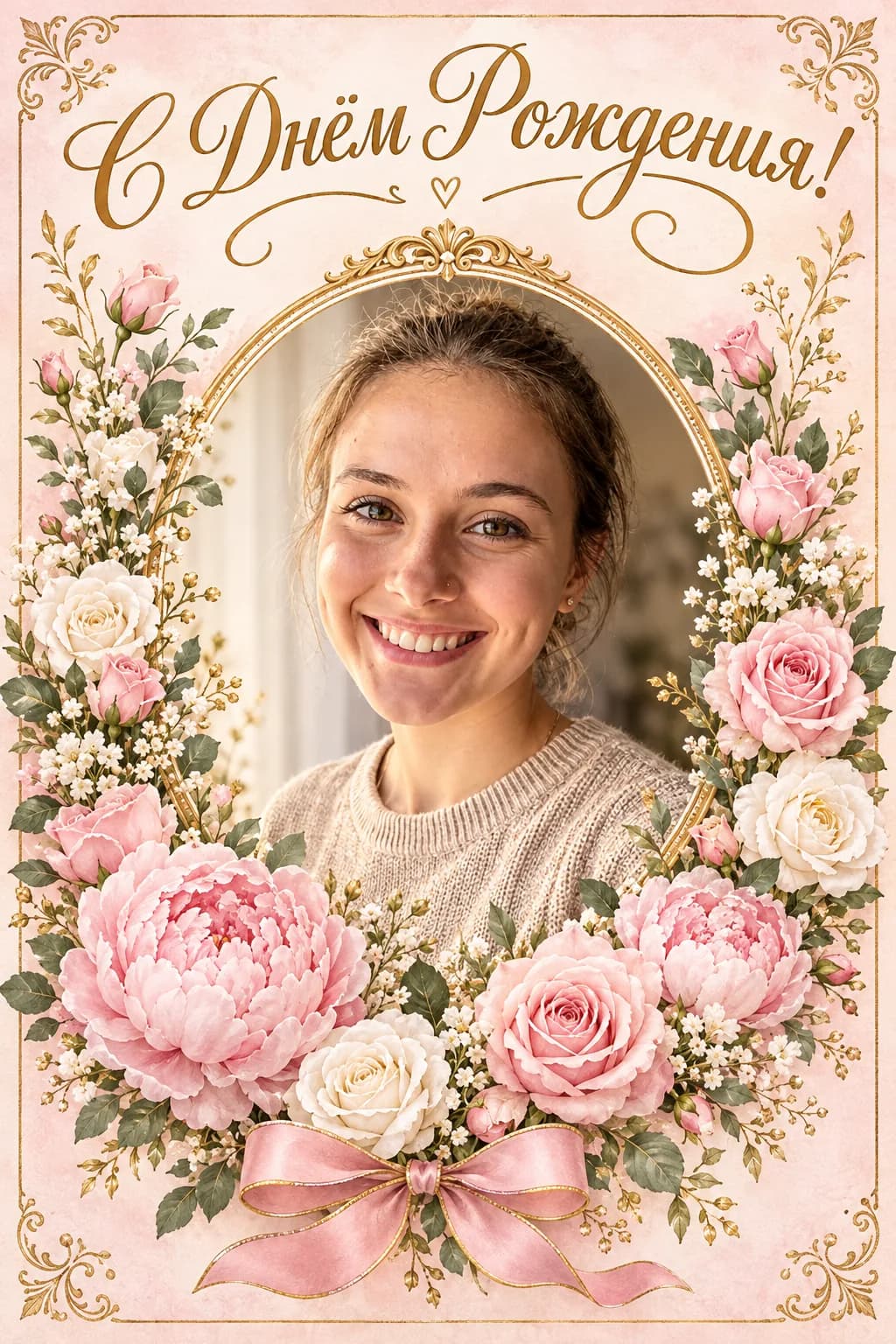 After
AfterThe face, hairstyle and pose stay yours. The background, frame, greeting and festive decoration change. If something is off, write in the chat: “make the greeting bigger”, “remove the balloons”.
New Year card from a photo
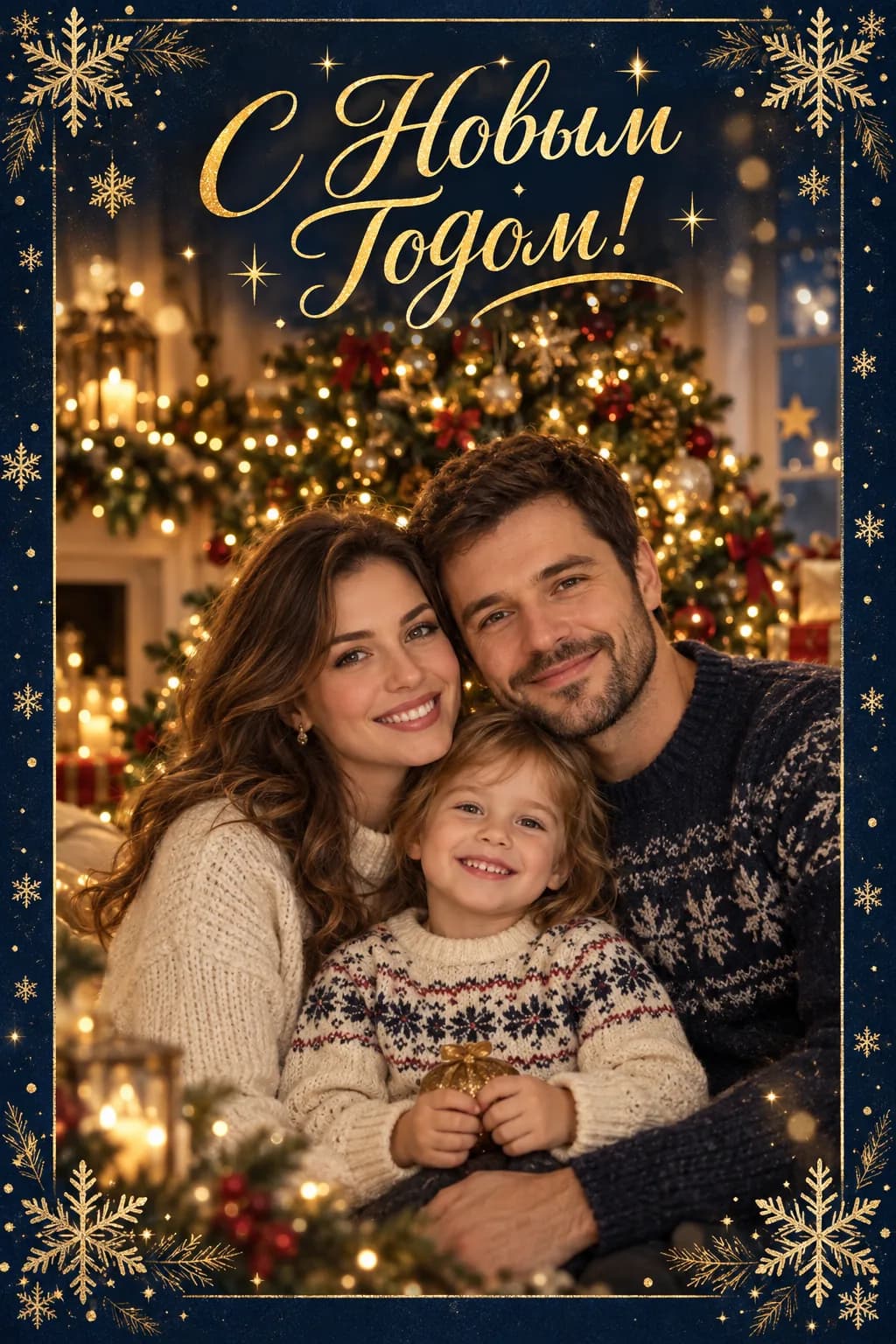
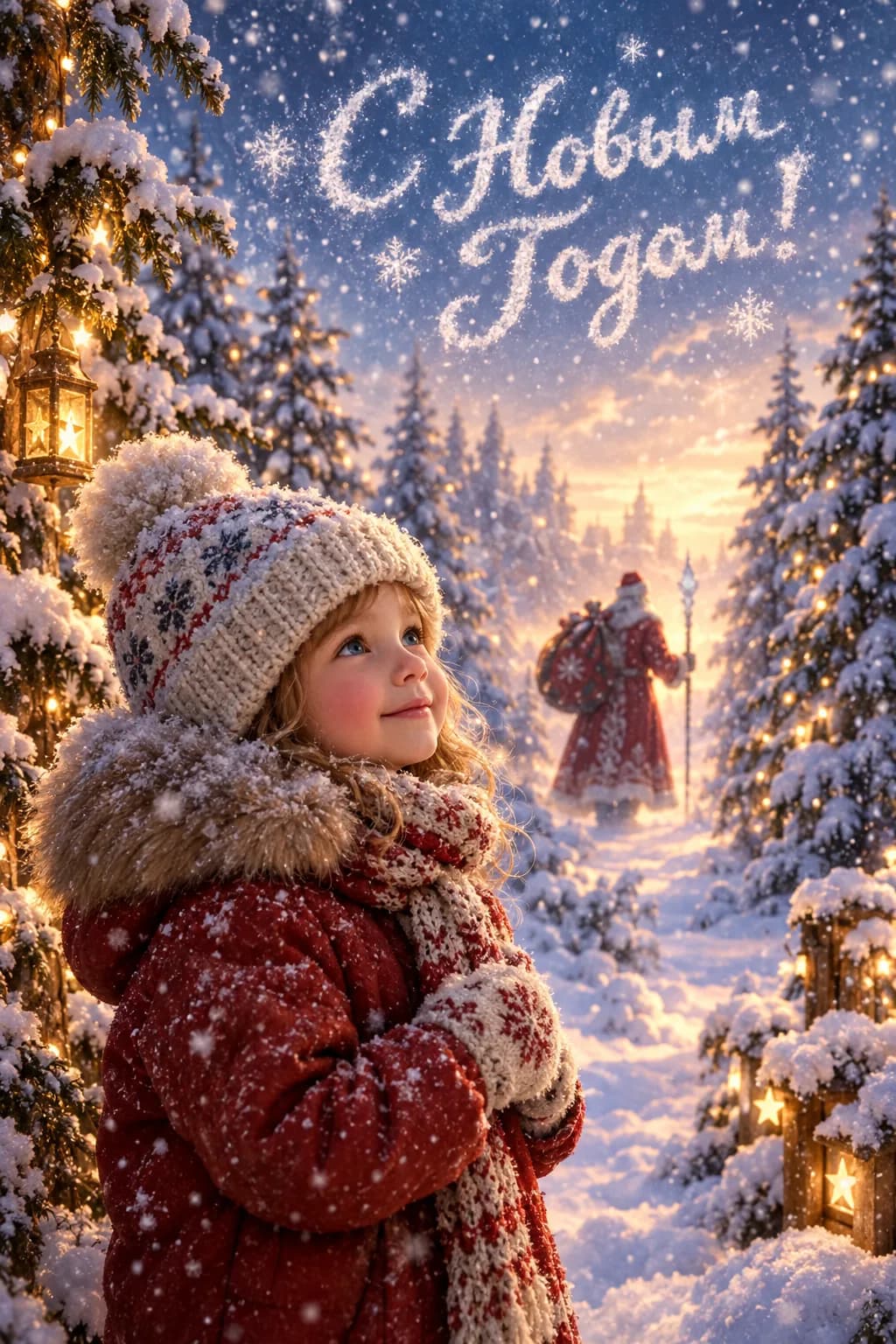
The most common winter request: a card with the whole family, with a child or with the dog. Upload a home snapshot and the AI adds a tree, lights, snow outside and a “Happy New Year!” greeting.
- A family photo → a card by the fireplace with a tree and lights
- A child’s photo → a winter forest, Santa in the background, a big greeting with the name
- A team photo → a retro-style corporate card with the year
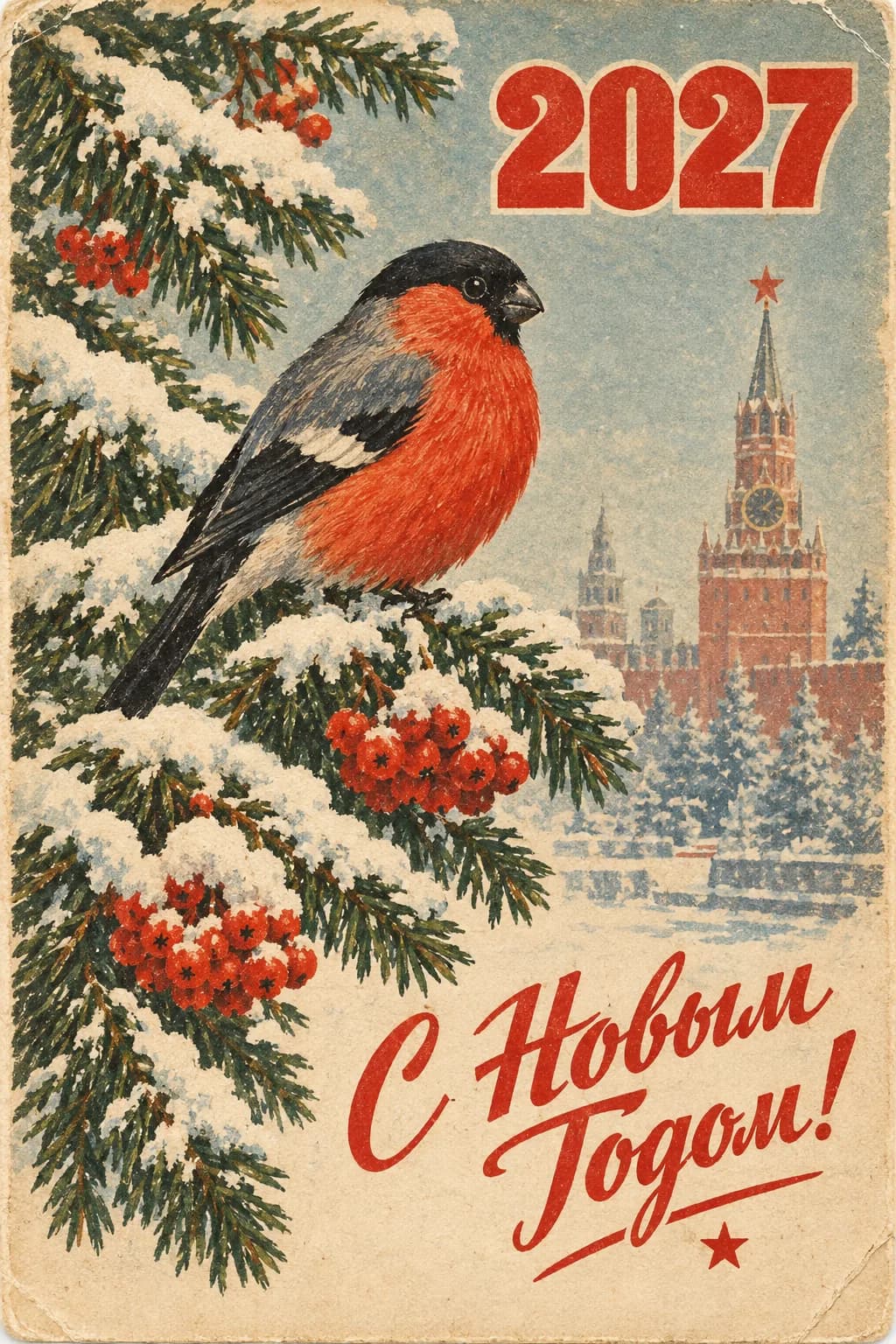
Vintage Soviet card from a photo
The look of 1960s–80s postcards: dense print, hand-drawn flowers, a serif greeting. The AI moves your real portrait into this style, so the card shows someone close to you, not a stranger from the post office rack.
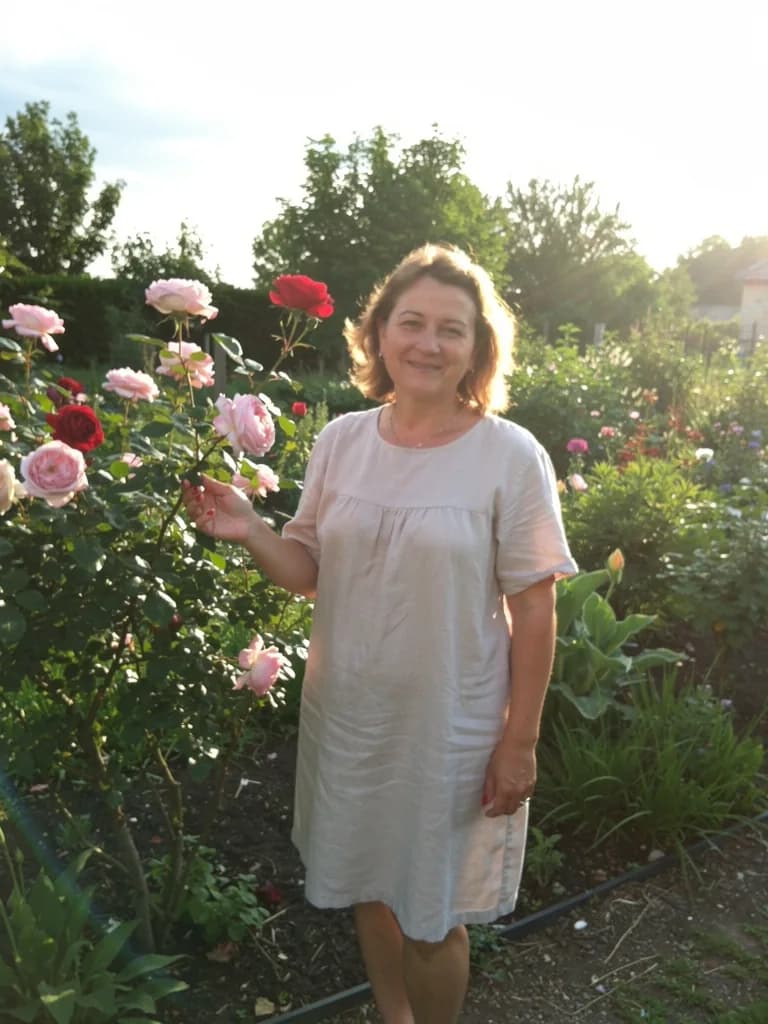 Before
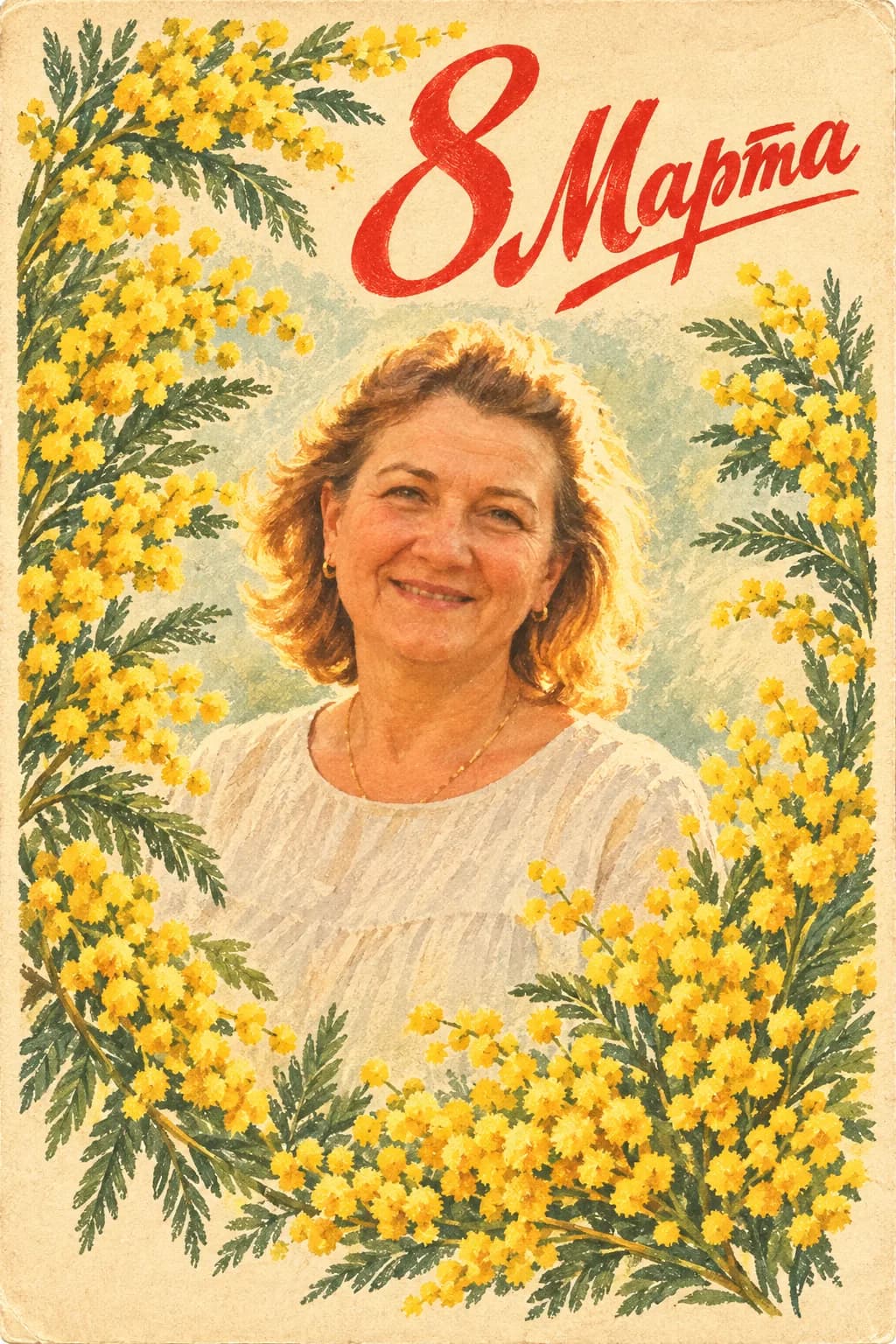 After
AfterWomen’s Day: a portrait in a frame of mimosa and tulips with a festive greeting
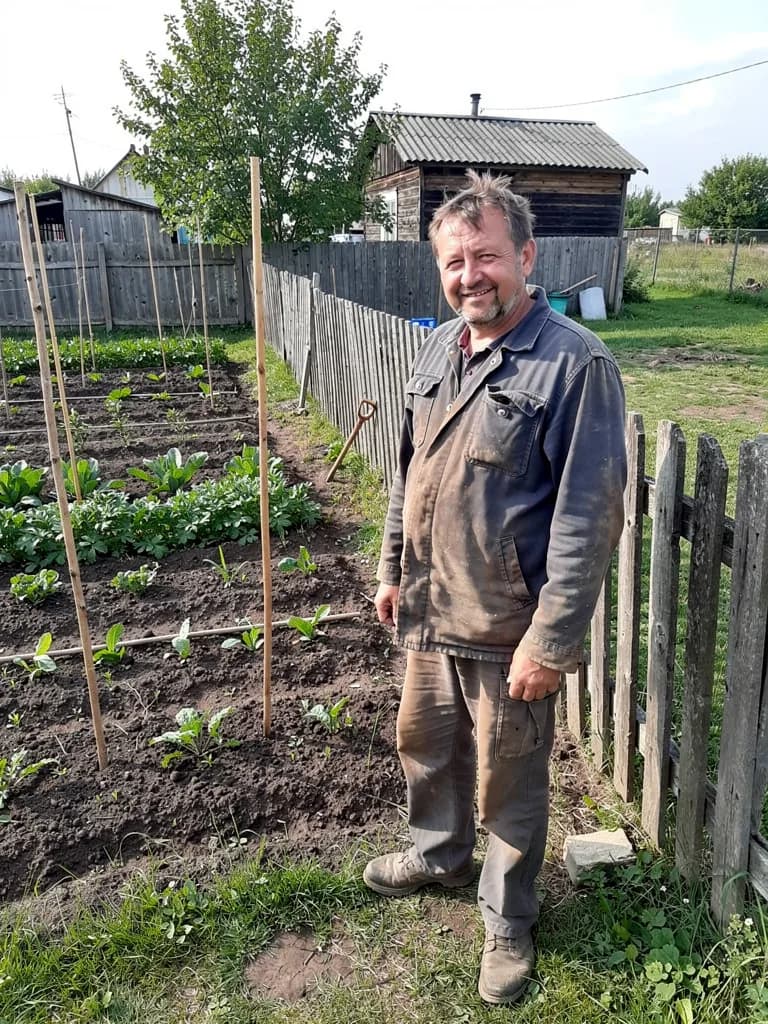 Before
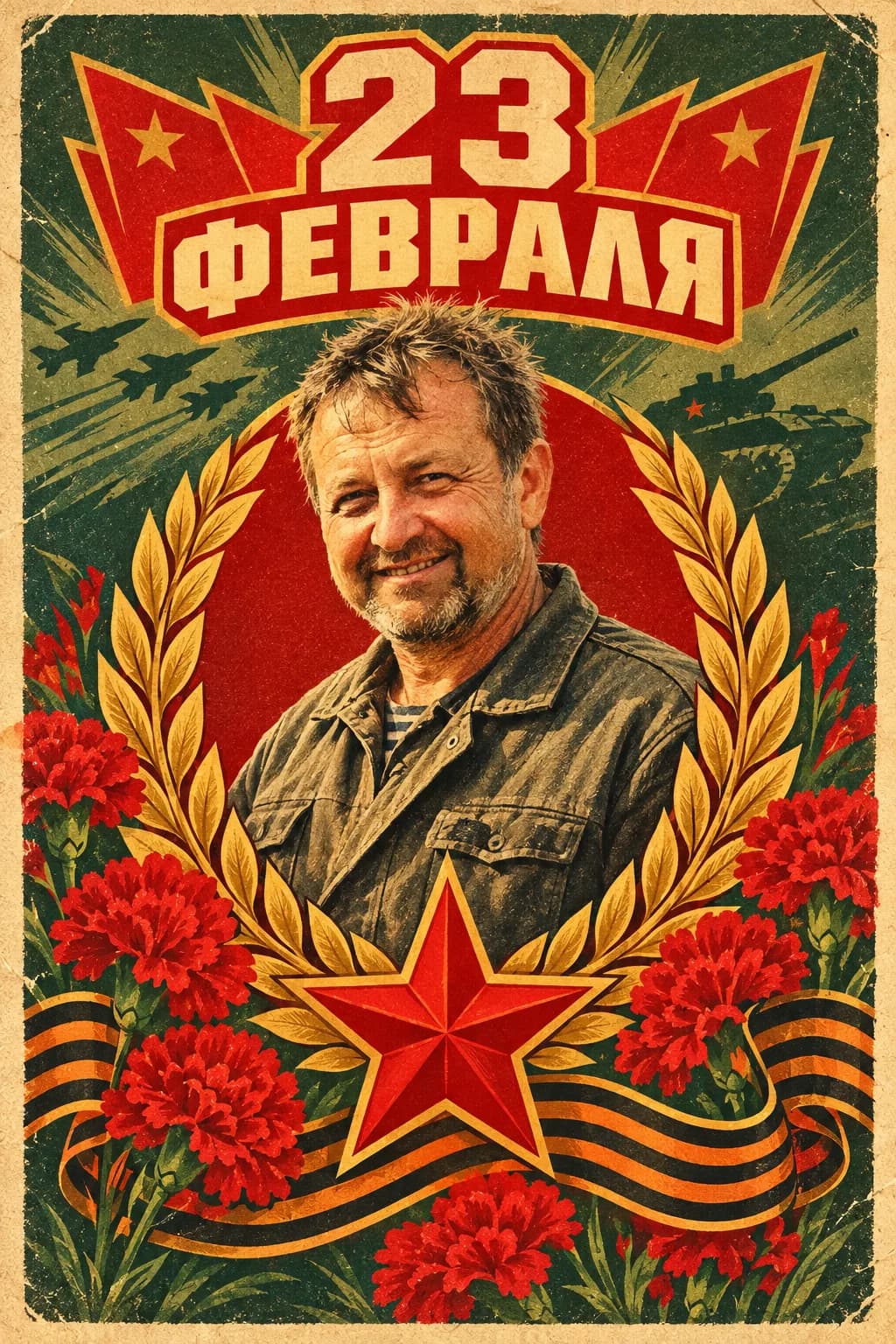 After
AfterDefender’s Day: a red star, carnations and a short greeting
What people usually ask to fix after the first try: “less grain”, “warmer colours”, “a narrower frame, a bigger face”. Each edit is a new generation from 1 unit of energy.
Add a greeting text
In the same chat the AI writes the greeting: a short one for the card or a long one for a message. Say who it is for and from, a couple of facts about the person and the tone, and you get three options. Texts are written on the free Starter plan.
- Asking for text
“Write three short greetings for our maths teacher from class 7B: warm, not pompous, 2–3 sentences each. One with light humour about tests”
- The AI’s answer, an example
“Ms Petrova, thank you for putting up with our ‘can we retake it?’ and still believing in us. Happy Teacher’s Day! May every test in life be solved on the first try.” Plus two more options.
- The next message in the same chat
“Now turn the class photo into a watercolour ‘Happy Teacher’s Day!’ card, the greeting at the top, small ‘7B’ at the bottom”
The AI draws short greetings of up to 5–6 words on the card without mistakes; send a long greeting as a separate message.
Sizes for print and for messengers
Put the format right in the prompt, so the card comes out in the right proportions and you do not have to crop the face.
Print the card
- 10×15 cm, the standard photo print
- “3:2 landscape” or “2:3 portrait”
- A6 (105×148 mm), a folded card
- “5:7 proportions, 5 mm margins with nothing important”
- A5 (148×210 mm)
- “5:7 proportions, a large greeting, print on thick paper”
For print, ask for “no small text near the edges”: the print shop trims 2–3 mm.
Send in a messenger
- Telegram, WhatsApp — a picture in the chat
- “square 1:1” — the preview will not crop it
- Stories, status
- “portrait 9:16”, greeting no lower than a third from the bottom
- A social media post
- “4:5 portrait” or “3:2 landscape”
Need both? Ask: “make the same card in 9:16 for stories”.
Honestly about energy and mistakes
Energy per card
One generation costs from 1 unit (Nano Banana 2 Lite, Flux 2 Pro, Seedream 4.5) to 6 (GPT Image 2). Lite at ₽690 gives 150 units: cards for every relative for a year with room for edits.
Typical prompt mistakes
The face takes less than a tenth of the frame; several people without saying who matters; a ten-word greeting. The fix: crop the photo to a portrait, write “the main one is the woman on the right”, shorten the greeting.
What will definitely work
The face and hairstyle stay, the frame and background follow the chosen style, a short greeting. A typo in the greeting? “Fix the text to …” — only the text is redrawn.
For one card or for every holiday of the year
Image generation is on paid plans. The free Starter plan (30 energy) covers texts: captions, greetings, descriptions.
Lite
₽690 a month
150 units of energy: up to 150 cards on light models. Enough for every family birthday, Women’s Day and New Year.
ChooseBasic
₽990 a month
200 units: cards plus greeting posts and posters. If you make cards for a team or for clients.
ChoosePremium
₽2,290 a month
600 units: for those who print cards in batches — nurseries, schools, small print studios.
ChooseFAQ
Can I make a card with AI for free?
The greeting text, yes, on the free Starter plan. The card as an image is generated only on paid plans, starting with Lite at ₽690 a month (150 units of energy, dozens of cards). You can upload the photo and prompt before paying: they are kept, and generation starts on its own after payment.
A birthday card from a photo: will the face really stay mine?
Yes, the AI works on top of your shot: it changes the background, frame and decoration but keeps the facial features, hairstyle and pose. If a detail comes out wrong (glasses, an earring), write “bring back the glasses from the original” and the image is rebuilt.
A card for a teacher: what if I have no photo of them?
Upload a class photo or just describe the scene: “a watercolour card with a bouquet of asters and a school blackboard, the greeting ‘Happy Teacher’s Day!’”. A photo is optional — the card can be generated from a description.
How long does generation take?
Usually 20–60 seconds depending on the model, and the same for each edit. In five minutes you can make a card and its versions for print and messengers.
What format does the card download in?
An image in a resolution good enough for a 10×15 print. For a print shop, also ask for “no text closer than 5 mm to the edge”.
Can I make several cards in the same style?
Yes. Upload the next photo and write “in the same style as the previous one, but the greeting ‘To my dear grandma’”. The style and frame stay.