Write a resume with AI
Three short answers: the job title, your experience in two lines, your main result. They become a prompt for the chat and a draft resume layout. Then come edits in words and a cover letter for a specific vacancy.
Prompt sent to the chat: «Write a resume for the position “B2B sales manager”. My experience: 4 years selling logistics software, the last 2 years leading a team of 5. Main result: Grew the division’s revenue from 18 to 31 million roubles in a year. Structure: objective, key skills (6–8), work experience with results in numbers, education. One page, business style, no filler. If data is missing, ask me questions — do not make anything up.»
A resume and a cover letter are text requests, free on the Starter plan. Sign-up is needed to keep the dialogue.
Grew the division’s revenue from 18 to 31 million roubles in a year
4 years selling logistics software, the last 2 years leading a team of 5
The AI will suggest 6–8 skills for the role
[university, degree, year]
The AI returns a full resume: objective, skills, experience by employer with results, education. All of it is edited in the dialogue.
A cover letter for your resume — in the same dialogue
The letter is read before the resume. The AI writes it in a minute, based on the resume it has already made and the job description.
What to write in the chat
Once the resume is ready: “Write a cover letter for this resume for a sales manager job at a company selling warehouse software. Up to 1200 characters, no clichés, start with a specific result”. The AI already knows your experience from the dialogue, so the letter will not be generic.
What a good letter is made of
The first paragraph: why this particular job, and one fact about the company you noticed.
The second: two results from your resume that cover the job requirements.
The third: what you are ready to do in the first months and how to reach you.
Ask for two versions: a restrained one and a livelier one. The first suits government and banking jobs, the second startups and agencies.
A resume for a specific vacancy
One resume “for every occasion” loses to one built around a particular employer’s requirements.
Paste the job description
Copy the whole job description — requirements, duties, conditions — and write: “Adapt my resume to this vacancy: reorder the skills by importance, use the wording from the requirements, but do not invent experience I do not have”. The last part matters: the AI should strengthen what is there, not add extras.
You can make a version for each vacancy: the same career is presented differently for a “head of sales” and for an “account manager”.
Example prompt
“Adapt my resume to the vacancy below. Skills in order of importance to the employer; in the experience, highlight what matches the duties. Do not invent anything; if there is no experience, skip it.”
[job description: “Head of Sales, B2B, SaaS… Requirements: managing a team of 3+, working with a CRM, the funnel from lead to payment…”]
You get back a resume with the same facts, but in the right order and with the right words. Check that nothing is embellished.
Six resume mistakes the AI helps fix
And one it can introduce — see the second card.
Duties instead of results
“Negotiated, worked with clients” describes the job. An employer looks for “closed 14 deals worth 9 million roubles”. Ask: “rephrase my experience as results with numbers”.
Invented experience
The AI can “fill in” skills to match the vacancy. Always add “do not make anything up” to the prompt and reread: every line will come up in the interview.
Three pages of text
One or two pages are enough for most positions. Write: “shorten to one page, keep the last 3 jobs”.
No objective, or a vague one
“I want to work for a stable company” helps nobody. An objective is a role and a field: “head of sales in B2B SaaS”.
Keywords do not match
Applicant tracking systems and recruiters search by the words in the vacancy. The AI picks them up if you paste the job description into the dialogue.
A “Please consider my application” letter
A template cover letter is worse than none. Start with a result or a fact about the company.
A professional headshot for your resume — from an ordinary selfie
Resumes with a photo get opened more often. The headshot is made on the neighbouring page from your picture.
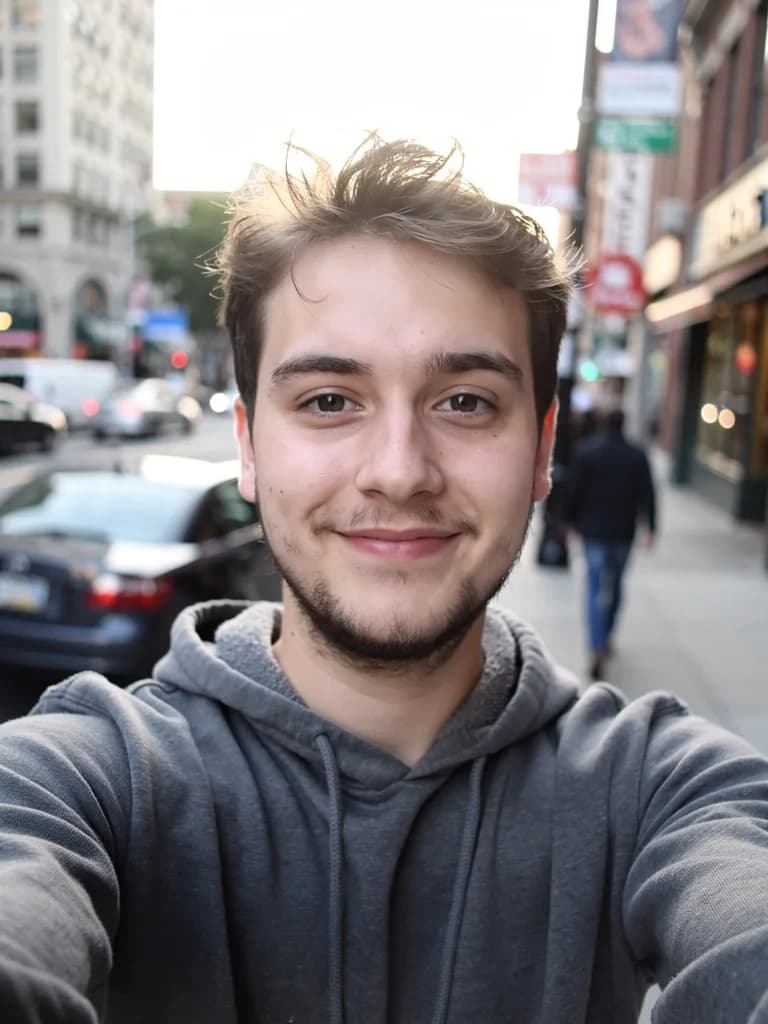 Before
 After
AfterA phone selfie → a professional headshot: a neutral background, a jacket, studio light
A photo you will not be ashamed to put on your resume
If all you have are selfies and holiday shots, upload one of them on the AI photoshoot page and ask for a headshot: “waist up, dark jacket, grey background, soft light, face as in the photo”. That is image generation, so it needs a plan from Lite at ₽690; one attempt costs from 1 unit of energy.
Make a headshot from a photoFAQ
Is the AI resume builder free?
Yes. Writing a resume and a cover letter are text requests, available on the free Starter plan. Only image generation is paid, for example a professional headshot.
What should I prepare in advance?
The job title, employers with years, 2–3 results with numbers, and education. The rest — structure, wording, the order of skills — the AI suggests itself and adjusts to your comments.
Which resume format will I get?
A standard one with an objective, experience, skills and education, accepted by job sites and employers. If you need a version in another language for an international company, ask for a translation in the same dialogue.
Will the AI add things that are not true?
It may, unless warned. Add “do not invent experience or skills” to the prompt and check every line. A good habit is to ask the AI to question you about the gaps rather than fill them.
How do I save the resume?
Copy the text from the chat into a document or a form on a job site. The dialogue with the resume stays in your account — a month later you can come back and update it for a new vacancy.
Can I write a resume with no work experience?
Yes. Write: “a resume for a first job, no experience: studies, an internship, projects, volunteering”. The AI shows how to present study projects and skills as results.