New Year banner, poster and card for your business
Pick a format and type in your own details: the discount, the party date, the company name. The mock-up on the right shows where each line will go, and the image studio opens a ready template with your details.
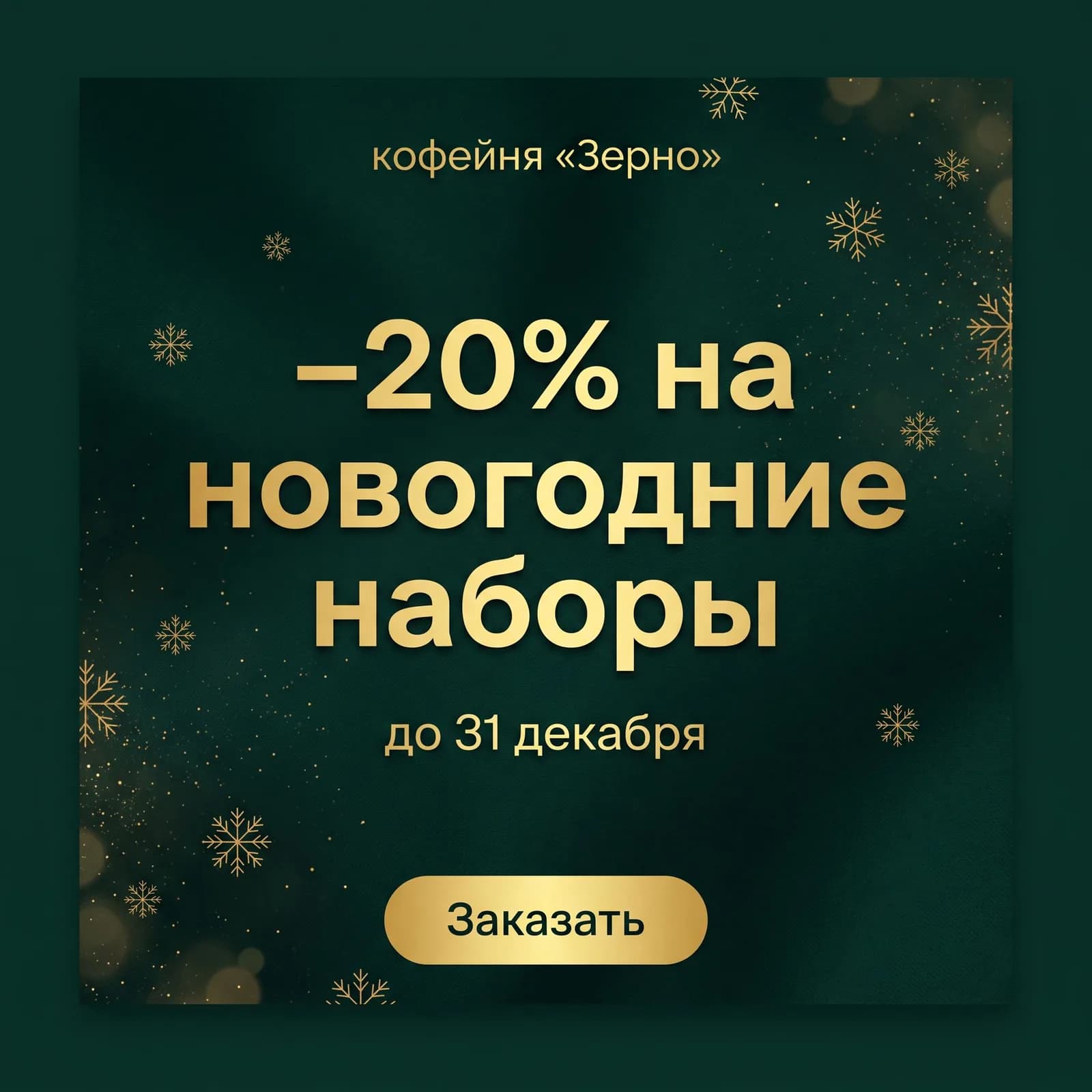
Template “New Year sale banner” · headline “−20% on New Year gift sets” · subline “until 31 December” · for: Grain coffee shop · button “Order”
 Grain coffee shop−20% on New Year gift setsuntil 31 DecemberOrder
Images come with plans from Lite at ₽690. The template and your text open in the image studio, and generation starts on its own once you pay.
Open in the studioWhich format fits your task
Five of the six templates work without a photo: text is all a company needs. The product shot needs a photo of the product, the story takes one if you like.
- Sale banner
- Where it helps: Post, website, newsletter
- Frame: 1:1
- Photo: not needed
- Office party poster
- Where it helps: Work chat, print
- Frame: 3:4
- Photo: not needed
- Kids’ New Year party poster
- Where it helps: Employees’ or clients’ children
- Frame: 3:4
- Photo: not needed
- Card for colleagues and clients
- Where it helps: Email to partners, team chat
- Frame: 3:2
- Photo: not needed
- Product in a New Year setting
- Where it helps: Product page, post, shop window
- Frame: 1:1
- Photo: product photo
- Story with text
- Where it helps: Announcement, holiday hours
- Frame: 9:16
- Photo: optional
For lettering, the templates suggest the models that draw letters more neatly: GPT Image 2, GPT Image 2.5 Flare, Nano Banana Pro and Recraft V4.1.
A New Year banner and story for your sale
In December everyone has a discount, and a banner gets read in a second. So the headline carries one offer as a number, and the conditions go into a smaller subline. “−20% on gift sets” works; “Big New Year sale with gifts and free delivery” does not.
Make the story with the same text, and the post and the story read as one campaign. The template puts a shot of your venue or shop window in the background; without a photo it paints a festive scene with lights and snow.
The chat writes the post to go with the banner for free – on the social media post page.
A poster for the New Year office party and the kids’ party
People open a poster in the work chat on their phones, so it must be big and free of clutter.
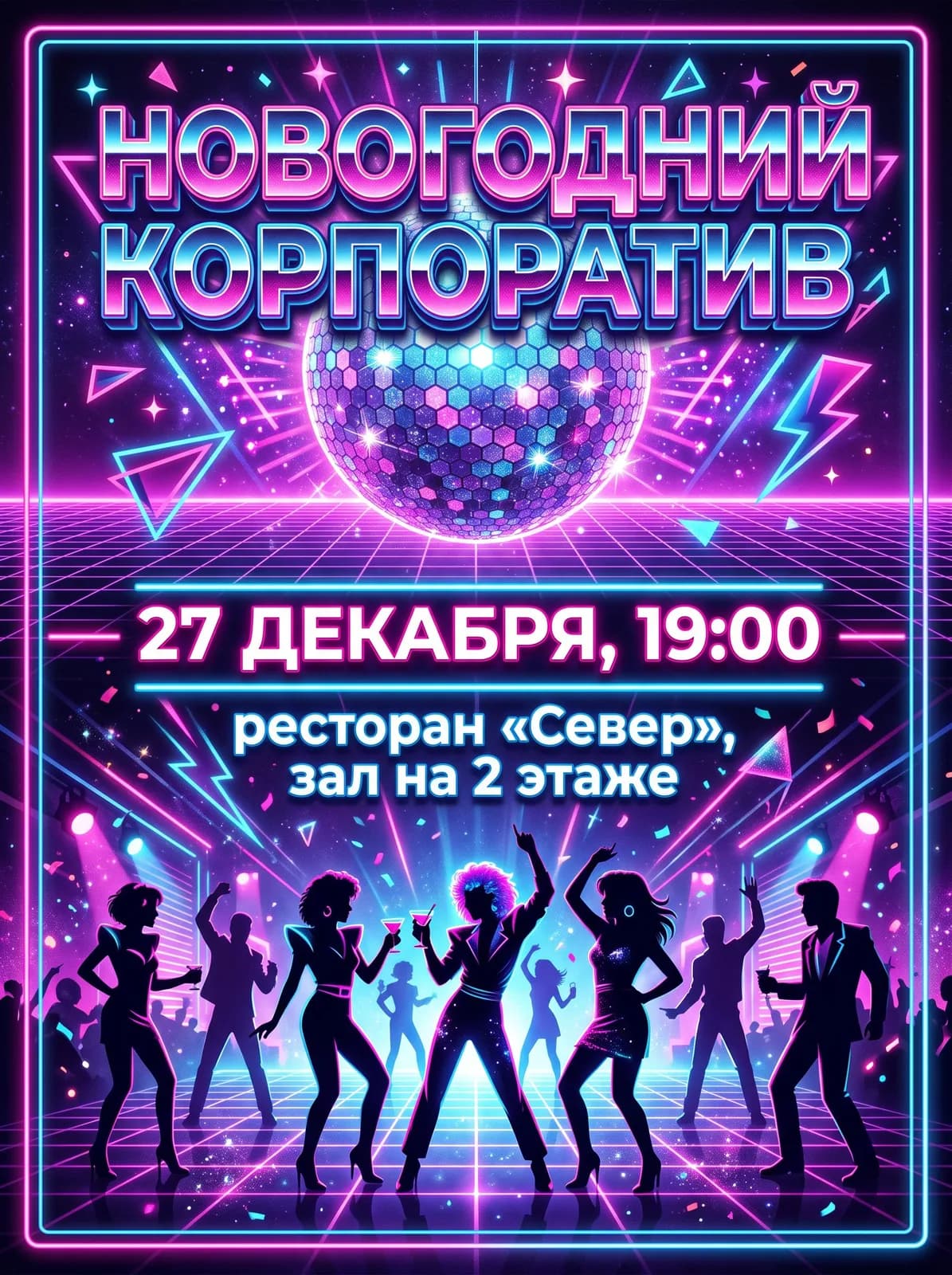
Office party: three styles to choose from
Glam with gold and glitter for a restaurant and an evening dress code. Cozy loft for an evening in your own office. 80s retro if there is a disco. The style changes with one button, the text stays yours.
A kids’ party for employees and clients
A bright illustration: the Russian Ded Moroz in a long fur coat, not Santa Claus, his granddaughter Snegurochka, a decorated tree and forest animals. For a party at the office or for the clients of a children’s centre, a title, date and venue are enough.
Check before you send
The date and time read at a glance, and the venue is clear enough to find without asking: floor, hall, address. Double-check the letters and numbers in the picture.
Posters for concerts, talks and other events are on the posters page.
A corporate New Year card
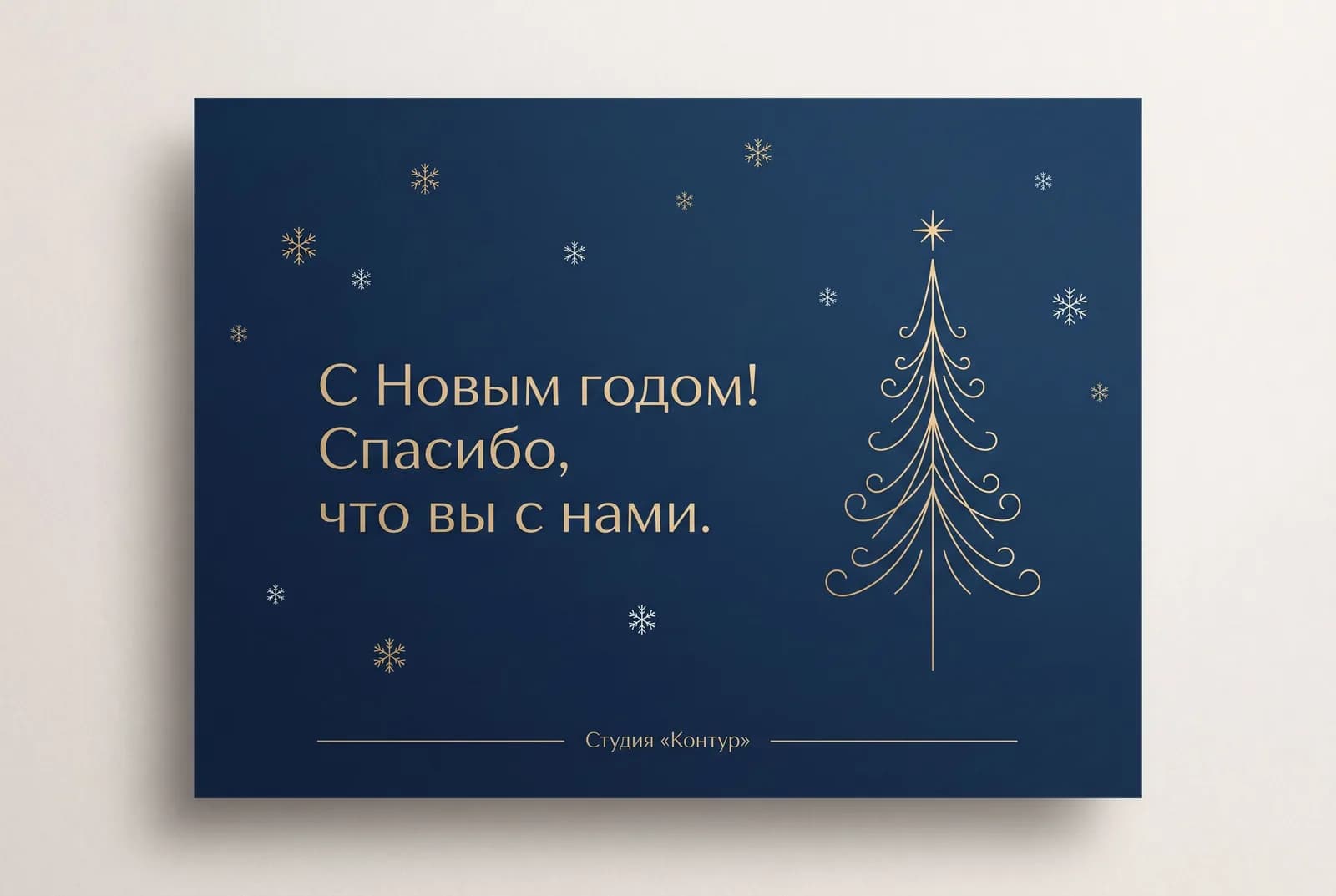
The “Card for colleagues and clients” template is restrained: deep blue and gold, light snowflakes, a stylised tree. The headline is your greeting, with the company name in a small line at the bottom. The 3:2 landscape frame fits neatly into an email to partners or a team chat with a “Happy New Year, colleagues!” caption.
Keep the headline to 6–8 words. Send a long formal greeting to partners as the email text and attach the card.
The greeting itself – formal, warm or funny – the chat writes for free on the New Year greetings page.
Your product in a New Year setting, no set-up shoot needed

What the template does
It puts the product from your photo on a wooden table among fir branches, gifts and warm lights. Shape, colors and label stay as in the shot, and the light is matched to the scene.
What the photo should be like
The whole product, no glare on the packaging, on a plain background by a window. Small print on the label reads better if you shoot straight on rather than from the side.
Need a marketplace card with infographics and selling points? That is the product cards page.
Frequently asked questions
How do I make a New Year sale banner?
Choose “Sale banner”, type in the offer, the deadline and what you sell, pick the button text and press “Open in the studio”. You get a square 1:1 banner.
Will the AI get the text on the banner right?
Templates with lettering suggest the models that draw letters better, such as GPT Image 2. Short text comes out cleaner than long; check every figure before you publish.
Can I make a New Year office party poster from a template?
Yes. Type in the title, date and time, venue and pick a style: glam with gold, cozy loft or 80s retro. The poster comes out portrait, 3:4, for the chat and for print.
How do I wish colleagues and partners a Happy New Year from the company?
Make a card with the “Card for colleagues and clients” template, with a short headline and the company name, and write the full greeting text in the chat – that is free on the Starter plan.
Can I make a New Year background for a presentation or a card without text?
Yes, describe the background in your own words in the studio: “New Year background 16:9 with no text, fir branches on the right, free space on the left for a title”. The presentation generator builds a whole finished presentation.
What does it cost, and is there a free option?
Images come with plans from Lite at ₽690 a month. On the free Starter plan you can write the greeting or post text.